
Understanding
NCCI Edits
A guide to the bundling rules, modifiers, and coding edits

PTP vs MUE Edits
Procedure-to-Procedure (PTP) edits prevent improper code combinations, whereas Medically Unlikely Edits (MUEs) set maximum unit limits to reduce billing errors and overutilization.
Understanding the Edit Table
The NCCI Edit Table identifies code combinations that are bundled under CMS rules and explains if a modifier is allowed to report them separately. Reviewing the table helps prevent denials and improper billing.
Built-in NCCI edit tools
Most modern coding software and many insurance portals do have built-in NCCI edit tools, but they can vary in how their systems work.
Coding and billing software typically includes automated NCCI edits that flag bundled CPT® code pairs, modifier restrictions, and MUE limits before a claim is submitted.
Clearinghouses and payer portals often apply NCCI edits during claim scrubbing, which may trigger edits, warnings, or denials.
Medicare systems follow CMS NCCI edits closely, while commercial payers may use NCCI as a base but apply their own proprietary edits on top of it.
But, because not all systems show why an edit triggered (or whether a modifier is allowed), coders should still know how to look up and interpret the NCCI tables directly, especially when reviewing denials or audit risk.
How to Look Up NCCI Edits for CPT Codes
CMS releases quarterly updates (January, April, July, and October) for both PTP and MUE edits.
NOTE: The NCCI contains two types of tables on the CMS website:
one table of edits for physicians/practitioners,
and one table of edits for outpatient hospital services.
Go to the Official CMS NCCI Edits Page:
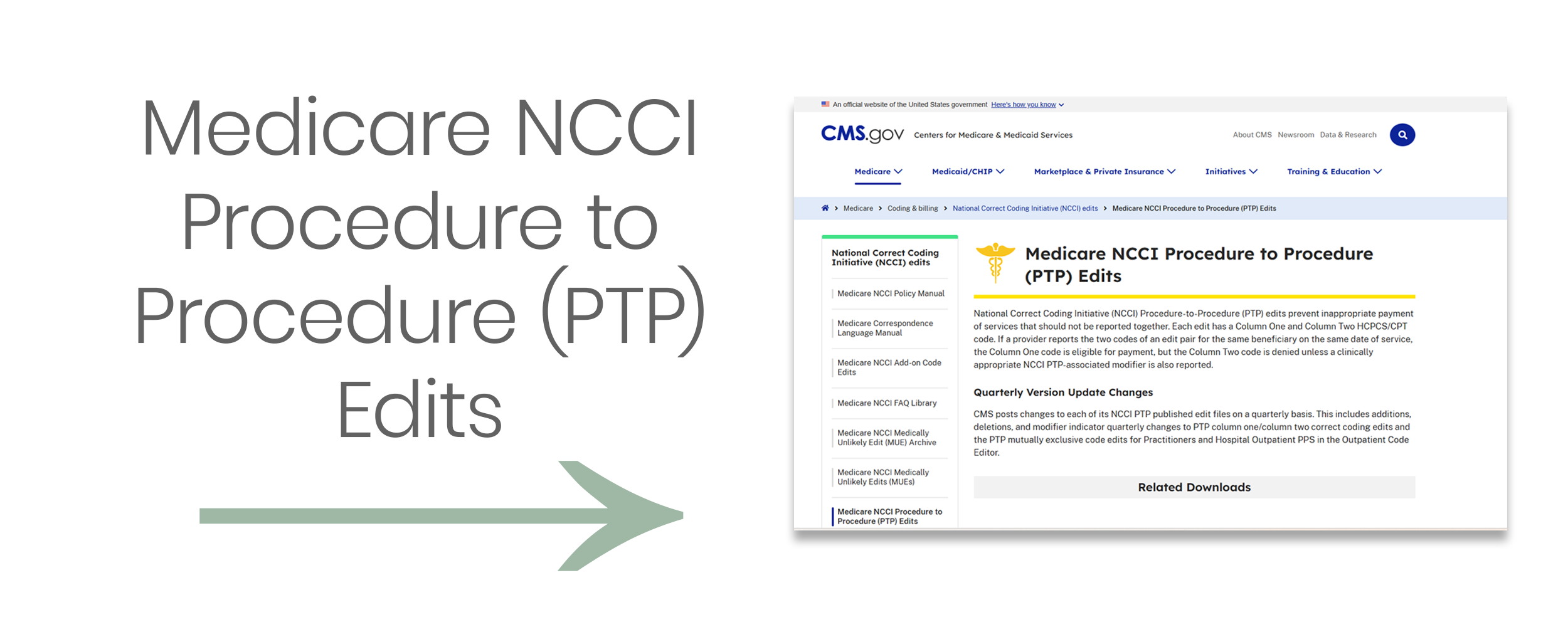
NOTE: Click image above to be redirected to CMS.gov or visit:
https://www.cms.gov/medicare/coding-billing/national-correct-coding-initiative-ncci-edits/medicare-ncci-procedure-procedure-ptp-edits
2. Scroll to find “PTP Coding Edits”
Look for the section called “Procedure-to-Procedure (PTP) Coding Edits” under "Downloads." You will see quarterly update files like:
NCCI PTP Edits – Practitioner – CSV or Excel format
Choose the most recent quarter (e.g., "2026 Q1 Practitioner PTP Edits")
Click to download the Excel file (.xlsx) — it contains all the code pair edits.
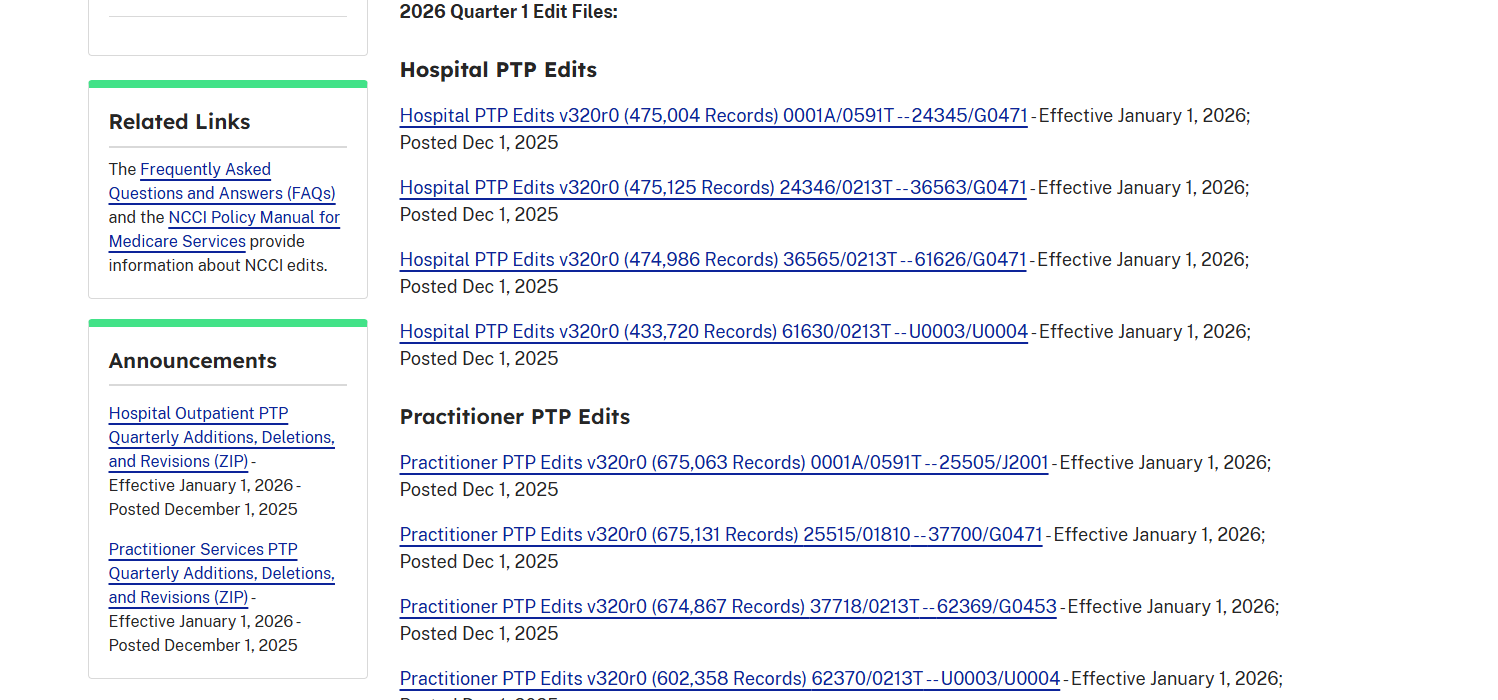
EXAMPLE: to find the NCCI edits for codes 11102 (Tangential biopsy of skin; single lesion) and 17000 (Destruction (e.g., cryotherapy) of premalignant lesion; first lesion), I would select “Practitioner PTP Edits v320r0 (675,063 Records) 0001A/0591T — 25505/J2001 (ZIP)”
3. Open the File and Use “Find” or Filter to Find Your Codes
Once you’ve opened the Excel file, either:
Press Ctrl+F (find) or use Filter tools
Type your code (i.e., 11102) in Column 1 or Column 2 to locate code pair edits involving this code
4. Read the Modifier Indicator
Find the column labeled “Modifier Indicator” (usually column F)
If it says “1” → You may use a modifier (e.g., 59 or XU) if appropriate
If it says “0” → You cannot override the edit with a modifier
If it says “9” → Edit has been deleted
5. Determine if Modifier Use is Justified
If you find the edit and the indicator is "1," now ask:
Was the procedure diagnostic and not integral to the surgical procedure?
Were the services separate in intent, site, or session?
Is it well-documented?
If yes to all → You can report both codes, appending modifier 59, or appropriate “X” modifier (Medicare).
Example:
Additional resources on the Official CMS Website:
Medicare National Correct Coding Initiative (NCCI) Edits - CMS’s (NCCI) homepage and overview, includes:
How to Use NCCI Tools booklet (PDF) - a guide on How to Use the Medicare NCCI Tools per CMS
Medicare NCCI Procedure to Procedure (PTP) Edits - includes the Quarterly Version Update Changes per 2026, Hospital and Practitioner Edits
Medicare NCCI Coding Policy Manual - a comprehensive document published annually by CMS that explains the rules and rationale behind NCCI edits. It is a companion to the NCCI edit files (Procedure-to-Procedure and MUEs) and gives detailed policy guidance on how to code correctly and when modifiers can be used.